Util: Start Node ▶️
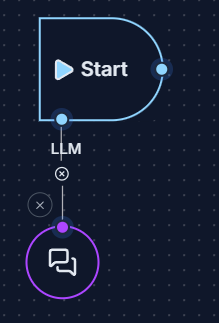
The Start Node is the beginning of your workflow. It captures your prompt and can set a global LLM.
How It Works
- User Prompt: Double-click node, enter instructions.
- Global LLM: Connect LLM node for all Ai Agents.
Setup
- Drag Start Node onto canvas.
- Connect LLM input.
- Enter prompt.
- Connect main output to next node.
Example Workflow 💡
LLM → Start Node → Ai Agent → Logs